Geo-Plus
VisionLidar · 37.0

VisionLidar 2027 new features

See what changed between 36.1.84.16 and 37.0 and prepare a demonstration tailored to your activity.

What’s new in version 2027

VisionLidar · from 36.1.84.16 to 37.0

Interface

A new interface, the same engines

  • Modern application frame

    A native Qt window replaces the previous interface; processing engines are unchanged.

  • Ribbon or compact menu

    Expandable ribbon with contextual toolbars; switch to the compact menu if you prefer.

  • Dockable left panel and toolbar

    Detach, dock and resize; list views for images, utilities (poles, spans, lines), edges, markings, lines and objects.

  • Navigation cube

    Preset views and N / S / E / W axes in the 3D scene; expandable floating tool groups.
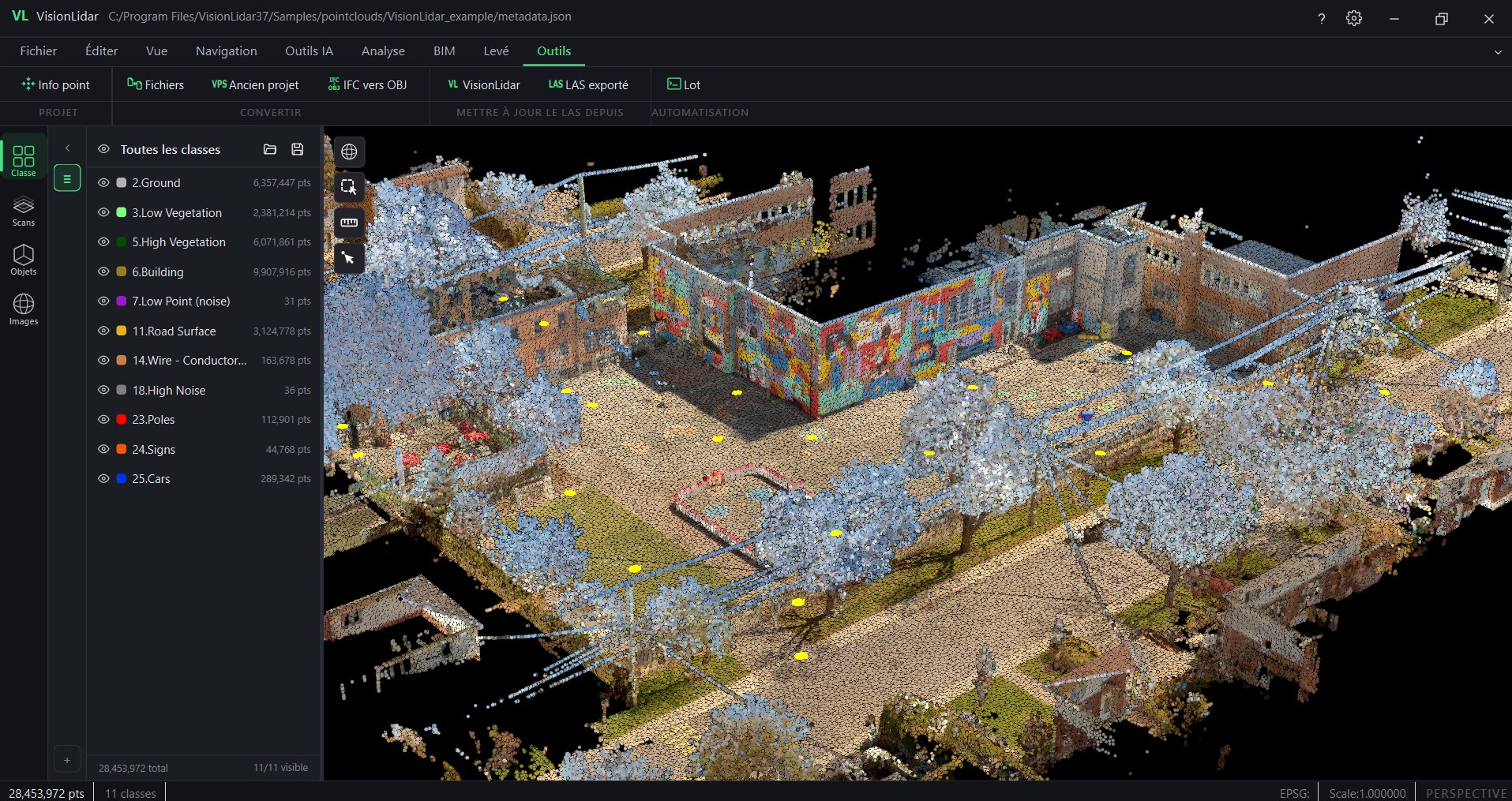
VisionLidar 37.0 main window with ribbon

AI

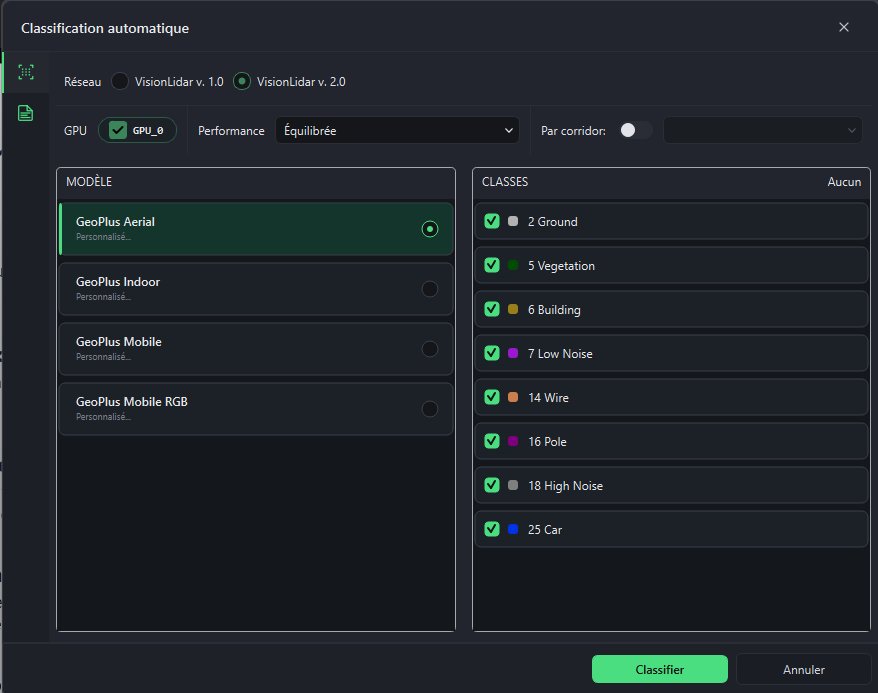
VisionLidar 2.0 AI engine: classification and training

  • One engine everywhere

    The VisionLidar 2.0 (transformer) engine now powers Classify LAS as well as new projects.

  • Classification at project creation

    Run automatic classification while creating the project.

  • Train a new model in one place

    Manual classification, selection and box tools in the training workflow; fence check before export.

  • Class management

    Batch-reassign class numbers to match your exports or models; updated definitions.

  • Your own PLY files

    Use PLY files labelled in other software to train in VisionLidar.

Automatic classification dialog with the VisionLidar 2.0 engine

Input and output

New formats, structured exports and batch processing

  • More ways to create a project

    PLY from any software, RCS (Autodesk ReCap), and E57 + LAZ + RCS combined in one project; FARO SCENE 2026 compatibility.

  • Structured E57 export

    Per-scan grouping, metadata and point attributes preserved on export; faster LAZ updates.

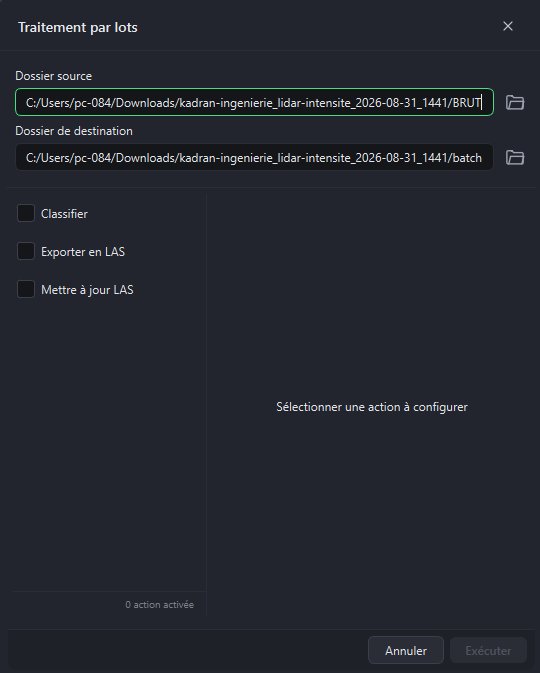
  • Batch processing

    Run classification, catenary or road-marking detection on entire folders.

Batch processing dialog

Also new

Also new in VisionLidar

  • Utility analysis reports

    Pole tilt, line clearance and collision reports exported to CSV, PDF and GeoJSON; pole radius shown as a cylinder.

  • Scan to Mesh and Refined Mesh

    Meshing tools, renamed and refreshed.

  • Volume calculation

    Improved volume calculation workflow.

  • Two-click quick section

    Analysis › Sections: two clicks and the section is created.

  • Grouped registration tools

    Point-to-point, list-based, origin change and reindexing grouped under Tools.

  • Spherical images

    Choose the image folder manually if automatic detection fails; rotate from the toolbar; simpler deletion.

  • Image-only projects for VL365

    Publish a spherical-image project to VL365 without a point cloud.

  • Detections at a glance

    Lists of utilities, edges, road markings and lines in the left panel; one click to locate them in the scene.

Prepare your demonstration

Describe your activity and needs: our team will prepare a demonstration of the 2027 features tailored to you. VisionLidar 37.0

Privacy policy